
Fast Wi-Fi in every room
Slow in the bedroom, buffering on the back deck? It may not be your internet at all. Often it's weak Wi-Fi. We install wired Wi-Fi access points and cable your TV, so the speed you already pay for reaches every corner of your home.
Please note: we don't sell internet plans and we can't make your provider's speed faster. We fix how well your Wi-Fi reaches every room.
Internet and Wi-Fi aren't the same thing
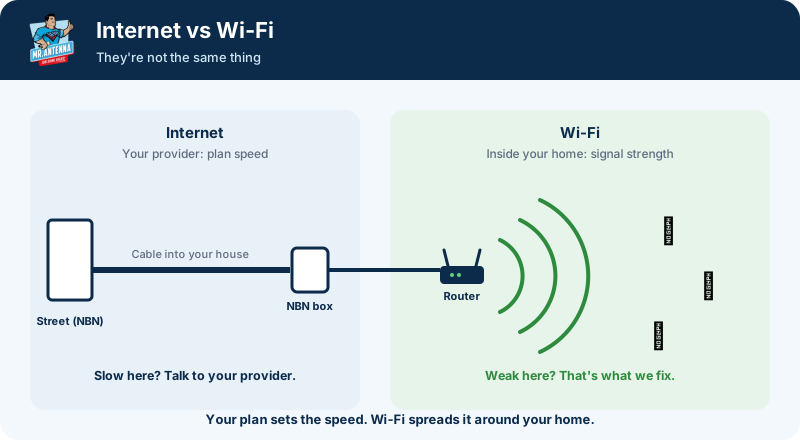
Internet comes from the street, through the cable into your house and into your NBN box and router. Its speed is set by your provider and your plan.
Wi-Fi is the wireless signal your router sends around your home. Walls, floors, distance and even fish tanks weaken it, so the further you go from the router, the weaker it gets.
Before you call your provider, check where it's slow. If it's fine near the router but slow everywhere else, your internet is fine. It's your Wi-Fi.
Why one router isn't enough
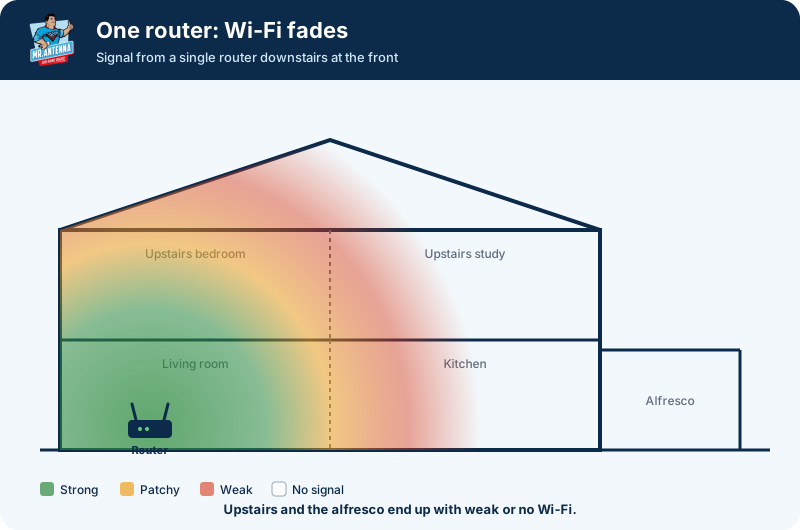
Most homes have one router, usually downstairs where the NBN comes in. Close by, the signal is strong. Further away it gets patchy, then weak, and upstairs bedrooms, the far end of the house and the alfresco can end up with almost nothing.
That's when videos buffer, video calls freeze and devices drop off, even though your internet plan is working fine.
The fix: wired access points
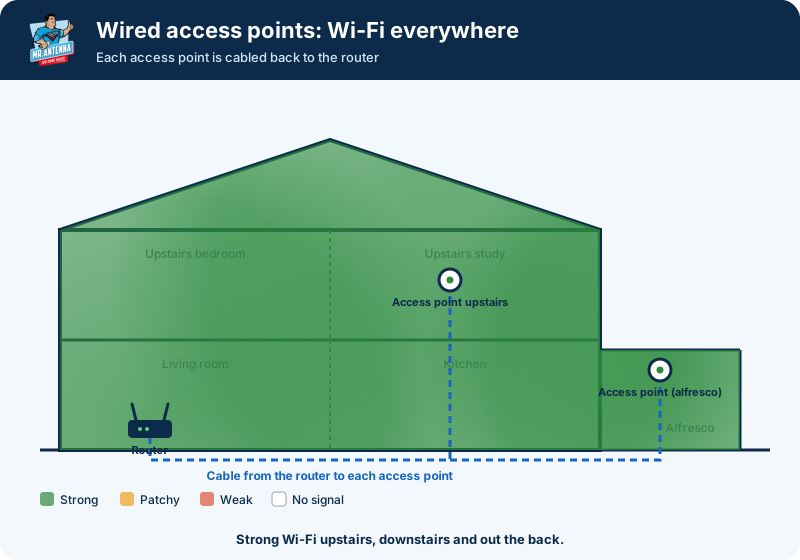
We run a data cable from your router to a Wi-Fi access point where the signal drops out, for example one upstairs and another covering the back of the house and alfresco.
- Full-strength Wi-Fi where you need it, because each access point is cabled back to the router, not repeating a weak signal.
- One network: your phone moves between them automatically as you walk around.
- Quality gear from brands like Ubiquiti and Ruijie, neatly mounted with no messy cables.
Wi-Fi booster, extender or access point?
| Plug-in booster or extender | Mesh Wi-Fi | Wired access point | |
|---|---|---|---|
| How it works | Repeats the Wi-Fi it can already hear | Units link to each other wirelessly | Cabled straight back to the router |
| Signal it puts out | Only as good as what reaches it | Good, but drops with distance between units | Full strength wherever it's installed |
| Speed | Can cut your speed | Can drop at the furthest unit | Keeps your full speed |
| Best for | A quick, cheap patch | Homes where cabling isn't possible | Double-storey homes, big homes and outdoor areas |
Is it signal or speed?
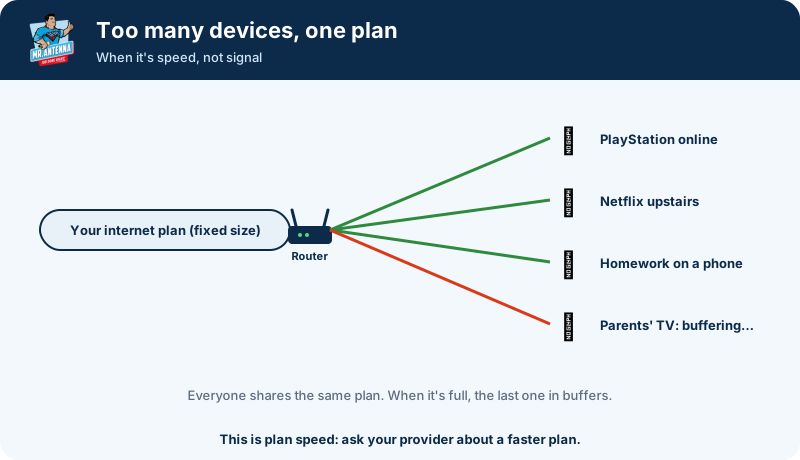
Sometimes it really is the internet. If one child is gaming online upstairs, another is watching Netflix and another is doing homework, everyone is sharing the same plan. When it's full, the next person to press play gets buffering.
A quick test: run a speed test standing right next to your router. If it's slow there too, it's your plan or connection, so talk to your provider. If it's fast there but slow elsewhere, it's your Wi-Fi, and we can help.
Cable the TV straight to the router
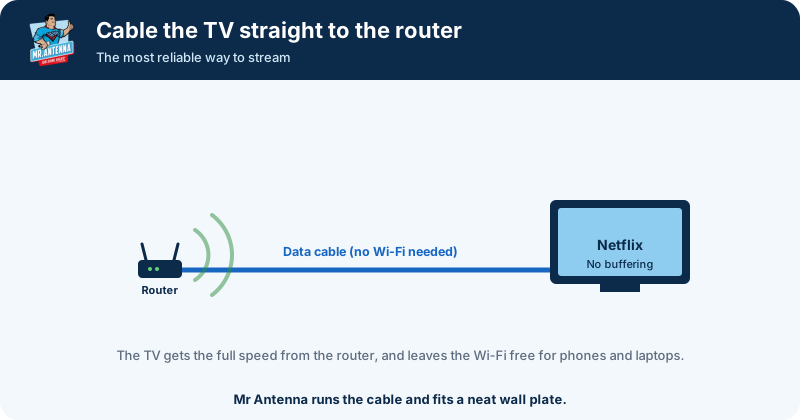
Your TV is the biggest data user in the house. Running a data cable from the router to the TV gives it the full speed of your connection with no Wi-Fi drop-outs, and leaves the Wi-Fi free for everything else.
We run the cable inside the wall where possible and fit a neat wall plate behind the TV. While we're there, we can also check your TV reception and set up your TV on the wall.
Wi-Fi questions
Why is my Wi-Fi so slow?
There are two very different causes. If it's slow even right next to your router, it's your internet plan or connection, so talk to your provider. If it's fast near the router but slow upstairs, at the back of the house or out on the deck, the Wi-Fi signal isn't reaching that far. That's the part we fix.
Can you make my internet faster?
No. Your internet speed comes from your provider's plan and connection, and we don't sell internet plans. What we do is make sure the speed you already pay for reaches every room, by fixing weak Wi-Fi and cabling key devices like your TV.
Wi-Fi booster, extender or access point: what's the difference?
Plug-in boosters and range extenders pick up your existing Wi-Fi and repeat it, so they can only pass on what reaches them, and they can cut your speed. Mesh systems link wirelessly between units. A wired access point is cabled straight back to your router, so it puts out a full-strength signal wherever it's installed. It's the most reliable option, and it's what we install.
How do I extend my Wi-Fi range?
First, put your router somewhere central and out in the open, not in a cupboard or on the floor. If that's not enough, add a wired access point in the room or area where the signal drops out, such as upstairs or near the alfresco. We run the cable and install it so it all works as one network.
What is a wireless access point?
A small Wi-Fi unit, usually mounted on a ceiling or high on a wall, that's connected to your router by a data cable. It creates strong Wi-Fi in its part of the house, and your phone or laptop moves between it and the router automatically. We use quality brands like Ubiquiti and Ruijie.
Should I plug my TV into the router?
If you can, yes. A data cable from the router to the TV gives it the full speed of your connection with no Wi-Fi drop-outs, and leaves the Wi-Fi free for phones and laptops. We can run the cable inside the wall and fit a neat wall plate.
Get strong Wi-Fi in every room
Your local technician will check where the signal drops out and recommend the right fix, with a free, fixed-price quote.